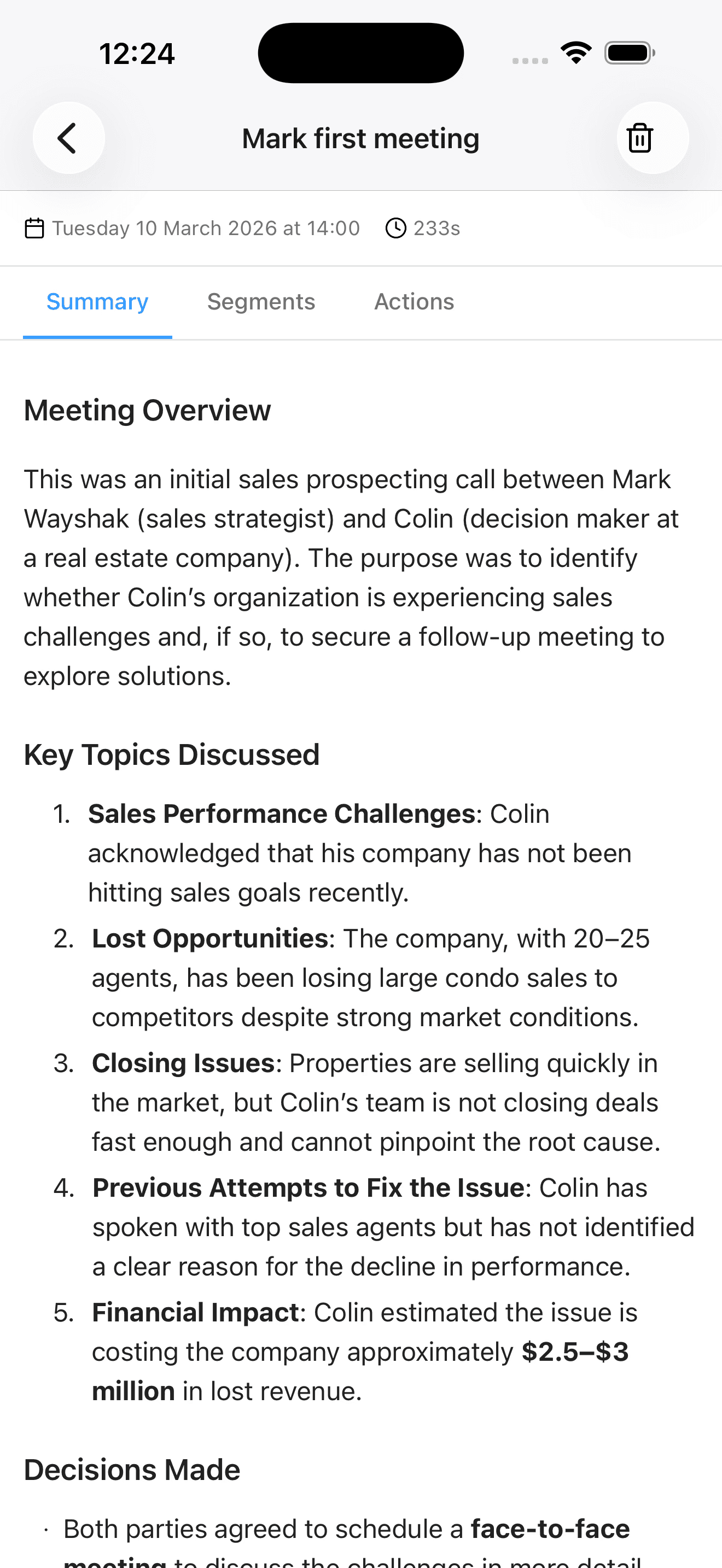
Automate CRM updates after sales meetings, with reps in control.

Y helps teams automate CRM updates after sales meetings by turning a field rep’s debrief into CRM meeting notes, proposed field changes, and owned next steps. Y structures the information while the rep still remembers what changed and reviews it before it enters the team’s process.

Y field sales workflow

Late CRM updates make the pipeline lag behind the customer.

When notes wait until Friday, a manager sees an old stage instead of the new objection, decision maker, timing, or commitment. Repeated reminders do not fix the underlying friction. Y moves capture to the end of the meeting and turns it into the specific data the team actually uses for forecasting and coaching.

Inputs from the conversation

Capture attendees, meeting objective, customer needs, objections, commercial signals, commitments, and unanswered questions. The rep can explain these elements naturally instead of translating the conversation into one field at a time.

CRM meeting notes with structure

Y prepares a concise account or opportunity note and proposes the fields that reflect the meeting: outcome, stage, value or timing change, stakeholders, risk, and confidence. The exact output follows the fields your team maps.

Next actions that can be managed

A useful update identifies the action, owner, and due date, not just “follow up.” Customer commitments and internal tasks stay distinguishable so managers can see who owes what before the next interaction.

Fresh context for managers

Reviewed information reaches the systems used for pipeline reviews sooner. Managers can focus on exceptions, deal strategy, and coaching instead of collecting the basic story across chat messages, calls, and private notebooks.


A controlled workflow for CRM updates after meetings

Automation starts with clear data rules and ends with a human-confirmed record.

1

Define what a complete update contains

Map the required objects, fields, stage rules, naming conventions, and minimum next-step detail. Keep the template focused: every required field should support a decision, workflow, or useful report.

2

Debrief immediately after the meeting

The rep records what happened while the details are fresh, using voice or the available capture workflow. Y extracts the meeting facts that correspond to the configured CRM model.

3

Resolve gaps and ambiguous values

Check the proposed account, stage, dates, names, and owners. If the customer did not confirm a budget or deadline, leave it unknown rather than converting an assumption into pipeline data.

4

Approve the update and continue

Once reviewed, the note, field proposals, and tasks can move through the authorized CRM workflow. Managers then work from a current record, while the rep retains control of customer-facing follow-up.

How to judge CRM update automation

Measure whether the workflow improves the record your team relies on, without hiding uncertainty or creating more cleanup.

Data quality

Sample real meetings and compare the approved update with what actually occurred. Look for correct account matching, specific outcomes, explicit owners and dates, and honest treatment of unknown information.

Speed to usable context

Track the interval between the customer meeting and a complete, reviewed CRM record. The relevant outcome is not transcription speed; it is how soon sales and management can act on reliable information.

Rep effort and adoption

Observe whether reps finish the workflow consistently between visits. A technically complete template that takes too long, requires a laptop, or asks for low-value fields will recreate the same backlog.

Common questions

Does Y replace our CRM?

No. Y helps a field team capture and structure information for the CRM and workflows it already uses. The CRM remains the system of record, with its own objects, permissions, validation rules, and reporting.

Are CRM changes fully automatic?

The level of automation depends on the integration and governance your organization approves. Y can prepare structured changes, but teams should require review for uncertain matches, forecast-sensitive fields, and any action that could affect a customer or another system.

What if the rep forgets a required detail?

Automation cannot infer a fact that was never captured. The workflow should make missing information visible and let the rep correct it. An unknown budget, date, or decision maker is better than a plausible value that was invented.

Which meetings are a good fit?

Y is most useful when customer conversations should produce a CRM note, field changes, or owned next steps, including field visits and other important sales meetings. The exact sources and outputs depend on the systems connected and the process configured.

Map CRM updates to your real sales process

Bring your post-meeting template, required fields, and one representative deal. The Y team will show what can be captured, what requires review, and where your CRM remains authoritative.

Request a demo